

-
- All Categories
-
 Printer Parts
-
 Cables
-
 IT Accessories
-
 Laptop Parts
-
 Toner Parts
-
 Tools
Tools
-
 Drone Parts


Your cart
Your cart is empty
55 products
55 products
Sort by:

₹ 375.00

₹ 435.00


₹ 1,000.00


₹ 569.00

₹ 501.00

₹ 547.00

₹ 615.00


₹ 395.00
₹ 569.00


₹ 395.00

₹ 866.00


₹ 1,750.00


₹ 906.00


₹ 866.00


₹ 684.00


₹ 890.00
Showing 55/55
Explore Related Collections


Description
Pressure Roller at Partsbaba.com – Reliable Printer Parts for Smooth Paper Feeding & Fusing
Explore Pressure Roller at Partsbaba.com, a collection of printer pressure rollers and related replacement components designed for compatible laser printers and printing equipment.
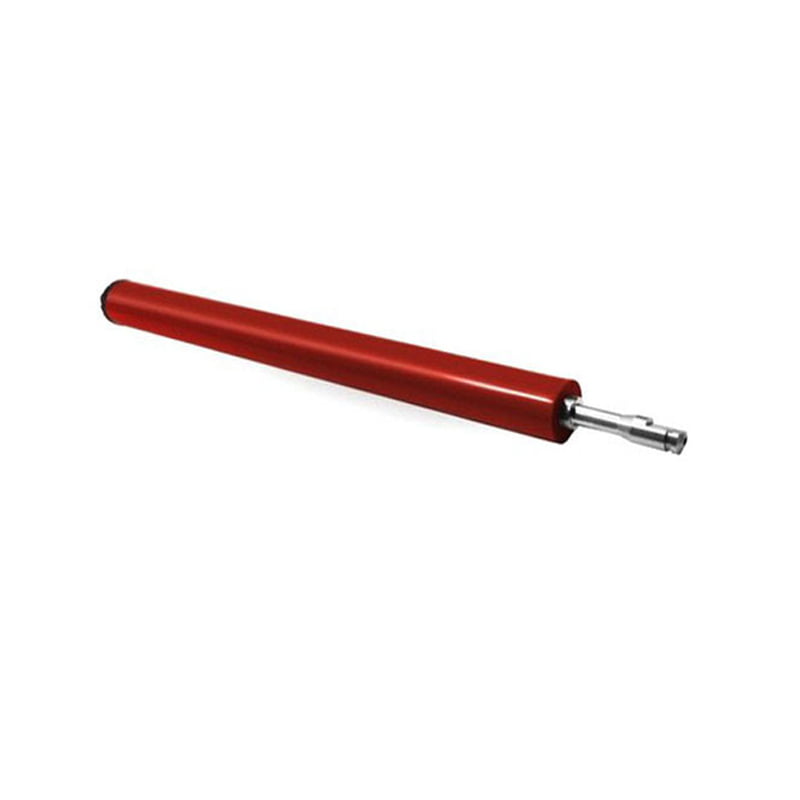
A pressure roller is an important part of a printer's fuser assembly. It works together with the fuser roller to apply the required pressure and heat so that toner can properly bond to the paper. A worn or damaged pressure roller can affect print quality and may contribute to paper-feed or fusing problems.
Whether you are a printer repair technician, service centre, reseller, printer maintenance professional, or business user, finding the correct pressure roller is essential for maintaining compatible printers.
Explore Pressure Rollers at Partsbaba.com
Pressure rollers are available for different compatible printer models and applications. Depending on the product, the collection can include replacement rollers for popular printer platforms.
Common requirements include:
- Laser Printer Pressure Rollers
- Fuser Pressure Rollers
- Printer Fuser Rollers
- Replacement Pressure Rollers
- Heat-Resistant Rollers
- Printer Maintenance Rollers
- Model-Specific Pressure Rollers
- Repair & Replacement Components
Compatibility Tip: Always verify the exact printer model and product specifications before ordering a pressure roller.
What Is a Pressure Roller?
A pressure roller is a cylindrical component inside the fuser assembly of many laser printers.
During printing, the fuser uses heat and pressure to bond toner to the paper.
A simplified process is:
Paper + Toner → Fuser Heat + Pressure → Permanent Printed Image
The pressure roller presses the paper against the heated fuser roller as the sheet passes through the fusing assembly.
How Does a Pressure Roller Work?
Inside a typical laser printer fuser:
Fuser Roller → Paper → Pressure Roller
As paper moves through the fuser:
- The paper enters the fuser assembly.
- Toner is positioned on the paper.
- The fuser applies heat.
- The pressure roller presses the paper against the heated surface.
- The toner bonds to the paper.
- The finished page exits the fuser.
The exact fuser design varies between printer models.
Why Is the Pressure Roller Important?
A properly functioning pressure roller helps maintain consistent contact between the paper and the fuser assembly.
It can contribute to:
- Consistent toner fusing
- Smooth paper movement
- Proper pressure across the page
- Reduced fuser-related print defects
- Reliable printer operation
A damaged roller can affect the fusing process and overall print quality.
Signs of a Worn Pressure Roller
A pressure roller may require inspection or replacement if you notice:
- Toner not properly fused
- Repetitive print defects
- Paper wrinkling
- Paper jams near the fuser
- Uneven print quality
- Toner rubbing or smearing
- Unusual noises
- Damaged or deteriorated roller surface
These symptoms can also be caused by other fuser components, paper quality, temperature issues, or printer settings.
Common Pressure Roller Problems
| Problem | Possible Cause |
|---|---|
| Toner Smearing | Fusing or pressure problem |
| Poor Toner Adhesion | Fuser-related issue |
| Wrinkled Paper | Roller/fuser or paper-path problem |
| Paper Jam | Damaged roller or fuser component |
| Repeated Marks | Damaged or contaminated roller |
| Uneven Fusing | Uneven pressure or fuser issue |
| Unusual Noise | Worn roller, gear, or bearing |
Proper diagnosis is recommended before replacing the roller.
How to Choose the Right Pressure Roller?
1. Identify the Printer Model
Start by checking the exact printer model.
For example, don't rely only on the printer series. Different variants may use different fuser components.
2. Check the Part Number
If the original pressure roller has a part number, use it to identify a compatible replacement.
3. Compare Dimensions
Check:
- Roller diameter
- Roller length
- Shaft diameter
- Shaft length
- End configuration
4. Check the Fuser Assembly
Confirm that the roller is designed for the specific fuser assembly installed in your printer.
5. Check Compatibility
Always compare the product listing with your printer model before purchasing.
Pressure Roller Selection Guide
| Specification | What to Check |
|---|---|
| Printer Model | Exact compatible model |
| Part Number | Original/replacement number |
| Roller Type | Pressure/fuser roller |
| Diameter | Match original component |
| Length | Match fuser assembly |
| Shaft | Diameter & configuration |
| Material | Suitable for fuser temperature |
| Compatibility | Printer/fuser compatibility |
Pressure Roller vs Fuser Roller
These components work together but perform different functions.
| Feature | Pressure Roller | Fuser Roller |
|---|---|---|
| Main Function | Applies pressure | Provides/participates in heat and fusing |
| Location | Fuser assembly | Fuser assembly |
| Contact | Presses paper against fuser surface | Contacts toner/paper |
| Replacement | Model-specific | Model-specific |
The exact construction differs depending on the printer design. Some printers use different fuser technologies, so the terminology can vary.
Pressure Roller in Laser Printers
Pressure rollers are particularly important in laser printing, where toner must be fused onto the paper.
The fuser assembly operates at high temperatures, so pressure roller materials are designed for the operating conditions of the specific printer.
This is why using a generic roller without confirming compatibility can result in:
- Poor fusing
- Paper jams
- Print defects
- Premature component failure
When Should You Replace a Pressure Roller?
Replacement may be appropriate when the roller has:
- Surface damage
- Cracks
- Wear
- Deformation
- Contamination that cannot be cleaned appropriately
- Uneven surface
- Excessive deterioration
If the roller is part of a larger damaged fuser assembly, replacing only the pressure roller may not resolve the problem.
Pressure Roller Replacement
Replacement should be performed carefully because the fuser assembly can become extremely hot during normal operation.
A general replacement process is:
- Switch off the printer.
- Disconnect the power.
- Allow the printer and fuser to cool completely.
- Remove the required printer covers.
- Access the fuser assembly.
- Remove the old pressure roller according to the printer service procedure.
- Install the compatible replacement.
- Check alignment and movement.
- Reassemble the printer.
- Perform a test print.
Never handle a hot fuser assembly. Follow the manufacturer's service instructions and appropriate electrical safety procedures.
Pressure Rollers for Printer Technicians
Pressure rollers are useful replacement components for technicians working on:
- Laser printers
- Multifunction printers
- Printer service centres
- Refurbished printers
- Office printer maintenance
- Printer repair businesses
Keeping compatible fuser components available can help reduce repair downtime.
Why Choose Pressure Rollers from Partsbaba.com?
- Replacement components for compatible printers
- Useful for fuser-related repairs
- Suitable for printer technicians
- Model-specific options
- Helpful for printer maintenance
- Related printer components available
- Convenient online sourcing from Partsbaba.com
Explore Related Collections at Partsbaba.com
Find more printer repair and maintenance components:
- Printer Parts – Explore printer replacement components.
- Printer Supplies – Browse printer maintenance products.
- P1007 P1008 Products Collection – Find compatible products for P1007/P1008 printers.
- M1005 L1020 Products Collection – Explore products for compatible HP LaserJet models.
- Gears – Browse printer gears and mechanical parts.
- Tray & Separation Pad – Find paper-handling components.
- Printer FFC Cables – Explore flexible printer cables.
- Control Panel – Find printer control panel components.
- Laser / CCD Scanner – Browse scanner components.
- OPC Drum – Explore imaging drum products.
- Maintenance Box & Chips – Find printer maintenance products.
- Repairing Tools – Browse printer repair tools.
Frequently Asked Questions
What is a pressure roller in a printer?
A pressure roller is a component in the fuser assembly that applies pressure to the paper as it passes through the fusing process.
What does a pressure roller do?
It helps maintain contact between the paper and the fuser surface, contributing to proper toner fusing and smooth paper movement.
What happens when a pressure roller is damaged?
A damaged roller can contribute to poor toner adhesion, smearing, paper wrinkling, jams, repetitive marks, or uneven fusing.
How do I choose a pressure roller?
Check the exact printer model, fuser assembly, part number, roller dimensions, shaft configuration, and compatibility information.
Can one pressure roller fit multiple printers?
Some rollers may be compatible with multiple printer models, but compatibility should always be confirmed using the specific product specifications and printer models.
Is it safe to replace a pressure roller?
The fuser operates at high temperatures and should be allowed to cool completely before servicing. Follow the appropriate service procedure and safety precautions.
Shop Pressure Rollers at Partsbaba.com
Find Pressure Rollers at Partsbaba.com for compatible laser printer fuser assemblies, printer repair, maintenance, refurbishment, and replacement requirements.
Explore Pressure Roller at Partsbaba.com and find the right replacement component for your compatible printer.
- Choosing a selection results in a full page refresh.
- Opens in a new window.