

-
- All Categories
-
 Printer Parts
-
 Cables
-
 IT Accessories
-
 Laptop Parts
-
 Toner Parts
-
 Tools
Tools
-
 Drone Parts


Your cart
Your cart is empty
206 products
206 products
Sort by:




Showing 30/206
Explore Related Collections


Description
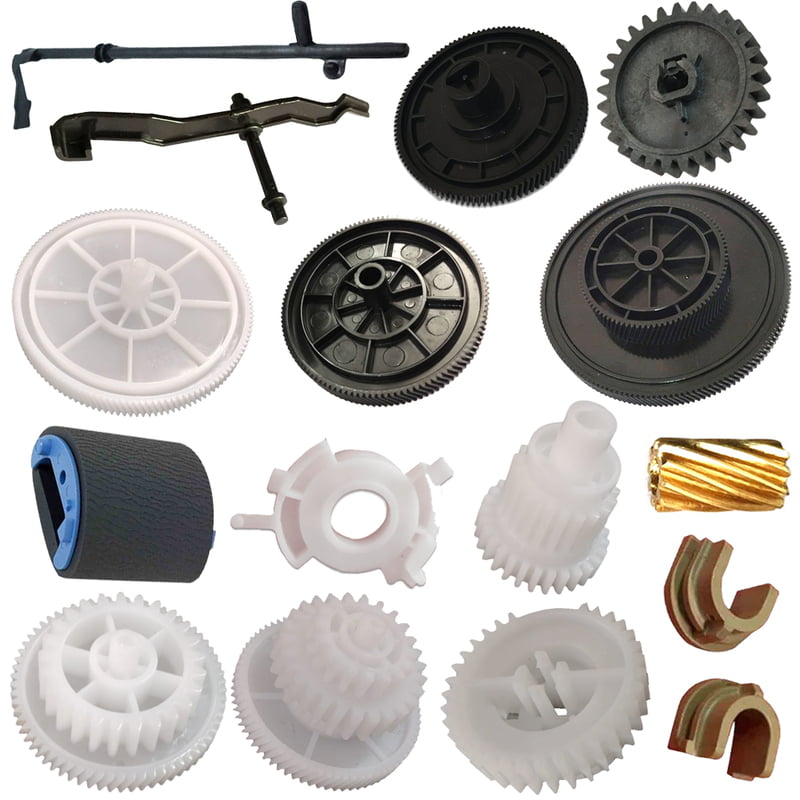
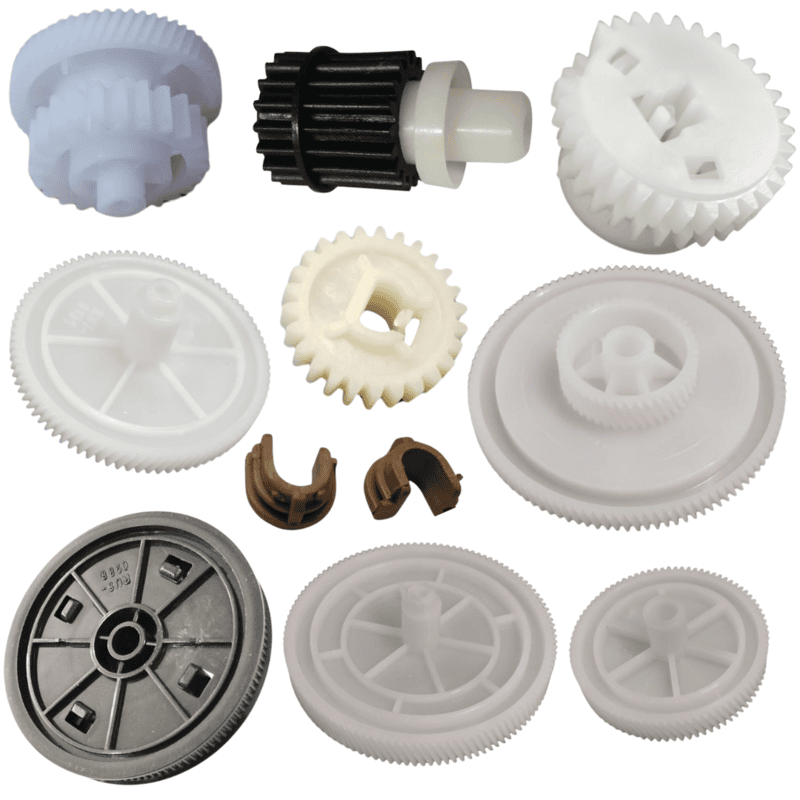
Gears at Partsbaba.com – Printer & Electronic Replacement Gears
Explore Gears at Partsbaba.com, featuring replacement and repair gears for printers, scanners, photocopiers, electronic equipment, and other compatible mechanical assemblies. Gears play an important role in transferring motion and maintaining the correct movement of rollers, shafts, paper-feed systems, carriage mechanisms, and other moving components.
Whether you are a printer technician, repair professional, service centre, reseller, or DIY user, the right replacement gear can help restore the mechanical operation of compatible equipment.
Explore Gears at Partsbaba.com
Our gear collection can include different sizes, shapes, tooth configurations, and applications to suit various repair requirements.
You may find:
- Printer Gears – Replacement gears for compatible printer mechanisms.
- Scanner Gears – Gears used in suitable scanner and imaging assemblies.
- Paper Feed Gears – Components for compatible paper-feed mechanisms.
- Drive Gears – Used to transfer rotational movement between components.
- Idler Gears – Suitable for specific mechanical transmission systems.
- Reduction Gears – Designed for applications requiring compatible speed or torque changes.
- Gear Kits – Multiple gears supplied for particular repair applications.
- Replacement Plastic Gears – Lightweight gears for compatible mechanical assemblies.
What Is a Gear?
A gear is a mechanical component with teeth designed to transfer rotational motion and force between shafts or moving parts.
In printers and other equipment, gears can help coordinate the movement of:
- Rollers
- Shafts
- Paper-feed assemblies
- Carriage mechanisms
- Scanner mechanisms
- Drive systems
- Fuser-related mechanisms
- Other mechanical components
A damaged or worn gear can affect the movement of connected components and may cause mechanical problems.
Common Signs of a Damaged Gear
A worn, cracked, or broken gear may contribute to mechanical issues such as:
- Paper feeding problems
- Abnormal clicking or grinding sounds
- Irregular movement
- Gear slipping
- Rollers not rotating correctly
- Carriage movement problems
- Paper jams
- Mechanical errors
- Visible cracks or broken teeth
However, similar symptoms can also result from rollers, motors, sensors, belts, shafts, or other mechanical components, so proper diagnosis is recommended before replacing a gear.
How to Choose the Right Gear?
Gears are highly specification-dependent. A gear that looks similar may not work correctly if its dimensions or tooth profile differ.
1. Check the Printer or Device Model
Where possible, confirm the exact printer, scanner, copier, or equipment model.
2. Compare the Number of Teeth
Count the teeth on the original gear and compare them with the replacement.
3. Check the Gear Diameter
Measure the outside diameter and compare it with the product specifications.
4. Check the Gear Thickness
The thickness must be suitable for the shaft and surrounding mechanical assembly.
5. Check the Shaft/Bore Size
The centre hole needs to match the shaft on which the gear is installed.
6. Check the Gear Type
Different mechanisms may use:
- Spur gears
- Helical gears
- Idler gears
- Compound gears
- Worm gears
- Other specialized gear designs
7. Check Gear Position & Configuration
Some gears have additional features such as:
- Different hub sizes
- Multiple gear sections
- D-shaped bores
- Grooves
- Shafts
- Integrated components
Compare the original component carefully.
Gear Selection Guide
| Specification | What to Check |
|---|---|
| Device Model | Exact compatible model |
| Gear Type | Spur, idler, compound, etc. |
| Number of Teeth | Match original |
| Outer Diameter | Compare measurements |
| Bore Diameter | Match shaft |
| Thickness | Check available space |
| Material | Plastic, metal, etc. |
| Hub | Compare hub size and shape |
| Gear Position | Match original assembly |
Printer Gears
Printers contain multiple mechanical systems that rely on gears for coordinated movement. Replacement gears can be required during servicing when an original gear becomes worn, cracked, or damaged.
Printer gears can be found in mechanisms related to:
- Paper pickup
- Paper feeding
- Paper transport
- Roller drive
- Carriage movement
- Scanner movement
- Fuser mechanisms
- Other mechanical assemblies
Explore Printer Parts for more printer repair components.
Why Do Printer Gears Break?
Several factors can contribute to gear wear or failure, including:
- Long-term use
- Mechanical stress
- Excessive load
- Misalignment
- Foreign objects inside the mechanism
- Worn shafts or bushings
- Incorrect lubrication
- Heat and operating conditions
- Physical damage
If a replacement gear repeatedly fails, inspect the complete mechanical assembly rather than replacing only the gear.
Gears for Printer Repair & Maintenance
Replacement gears can be useful for technicians working on different printer mechanisms.
They may be required during:
- Printer servicing
- Paper-feed repair
- Roller replacement
- Carriage repair
- Scanner servicing
- Gear mechanism repair
- Preventive maintenance
- Mechanical troubleshooting
Using a compatible replacement gear helps ensure that the original mechanism can operate as designed.
Gear Kits
Some repair applications require multiple gears rather than a single component. A gear kit can be useful when several gears in a mechanism need replacement.
Before purchasing a kit, check:
- Compatible printer/device model
- Number of gears included
- Individual gear specifications
- Gear arrangement
- Included components
Gear Installation Tips
When replacing a gear:
- Switch off and disconnect the equipment where appropriate.
- Identify the damaged gear and its position.
- Compare the replacement with the original.
- Inspect the shaft and surrounding components.
- Clean the mechanism if required.
- Use only suitable lubricant where lubrication is specified.
- Install the gear in the correct orientation.
- Check that the gear rotates freely.
- Reassemble the equipment carefully.
- Test the mechanism before returning it to regular use.
Gears & Lubrication
Some mechanical gear assemblies require lubrication, while others may be designed to operate without additional lubricant.
If lubrication is specified, use the correct grease or lubricant for the application. Excessive or incorrect lubrication can attract dust, contaminate nearby components, or affect mechanical operation.
Explore Grease, Oil & Paste for maintenance and lubrication products.
Why Choose Gears from Partsbaba.com?
- Replacement gears for compatible printer applications
- Options for different mechanical assemblies
- Useful for printer technicians and repair centres
- Products for repair and maintenance
- Options for individual gear replacement
- Related printer parts available
- Convenient online sourcing for repair components
Explore Related Collections at Partsbaba.com
Find complementary products for your repair work:
- Printer Parts – Explore printer gears, rollers, PCBs, scanner parts, and other components.
- Repairing Tools – Find tools for printer and electronics repair.
- Tools – Browse general repair and maintenance tools.
- Grease, Oil & Paste – Explore lubricants and maintenance products.
- Cables – Browse cables for printers and electronic devices.
- FFC Cables – Find flexible flat cables.
- Switches – Explore printer and electronic switches.
- Maintenance Box & Chips – Find compatible printer maintenance components.
- OPC Drum – Explore printer imaging components.
- Bestsellers – Discover popular products.
- New Arrivals – Explore the latest additions to the collection.
Frequently Asked Questions
What are printer gears used for?
Printer gears transfer rotational movement between mechanical components and can operate systems such as paper feeding, rollers, carriage mechanisms, and other printer assemblies.
How do I find the correct replacement gear?
Check the printer model, gear type, number of teeth, diameter, thickness, bore size, hub design, and original part number where available.
Can a damaged gear cause paper jams?
Yes, a damaged or worn gear can contribute to paper-feed or transport problems. However, paper jams can have several causes, so the complete mechanism should be inspected.
Should I replace only the broken gear?
Not always. If other gears, shafts, rollers, or mechanical components are worn or damaged, they may also need inspection or replacement.
Do printer gears need lubrication?
Some mechanisms require lubrication while others do not. Follow the printer manufacturer's or service documentation's lubrication requirements and use only a compatible lubricant.
Shop Gears at Partsbaba.com
Find printer gears, replacement gears, gear kits, and mechanical components at Partsbaba.com for compatible printers, scanners, photocopiers, and electronic equipment.
Explore Gears at Partsbaba.com and find the right replacement gear for your repair and maintenance requirements.
- Choosing a selection results in a full page refresh.
- Opens in a new window.